Carrying Proof of License on Your Phone
There’s nothing quite like the panic of realizing you’ve left your hunting license tucked away on the kitchen table when you’re already miles deep in the woods, or fumbling through a wallet in the pouring rain trying to find it. For years, New York hunters dealt with the necessity of carrying physical proof of their licenses, tags, and permits, often leading to lost documents or damp, illegible paper. Thankfully, the New York State Department of Environmental Conservation (DEC) has embraced modern technology, offering convenient digital solutions that can save you a lot of hassle and anxiety. This guide will walk you through everything you need to know about carrying and displaying your New York hunting license directly on your smartphone, ensuring you're always prepared and legal in the field.
The Modern Convenience of Digital Hunting Licenses in New York
The days of needing to laminate your big game tag or constantly worry about your small game license getting ruined by sweat or rain are largely behind us, at least for displaying your credentials. New York State has made significant strides in modernizing the way hunters, anglers, and trappers manage their official documents. This move wasn't just about convenience; it was a response to the practical realities of a digital world and the desire to reduce administrative burdens.
Evolution from Paper to Pixels
For generations, a hunter's license was a tangible piece of paper, often carried in a specialized holder or carefully folded into a wallet. If you lost it, you had to go through the process of getting a replacement, which was a minor inconvenience at best. The shift to digital proof began with the recognition that smartphones are now an indispensable part of daily life for most people, including outdoor enthusiasts. The DEC saw an opportunity to leverage this technology, reducing the need for hunters to carry multiple physical documents while still maintaining the integrity of the licensing system. It’s a welcome change for anyone who’s ever had to dig through layers of gear for that one essential piece of paper.
What Constitutes Valid Digital Proof
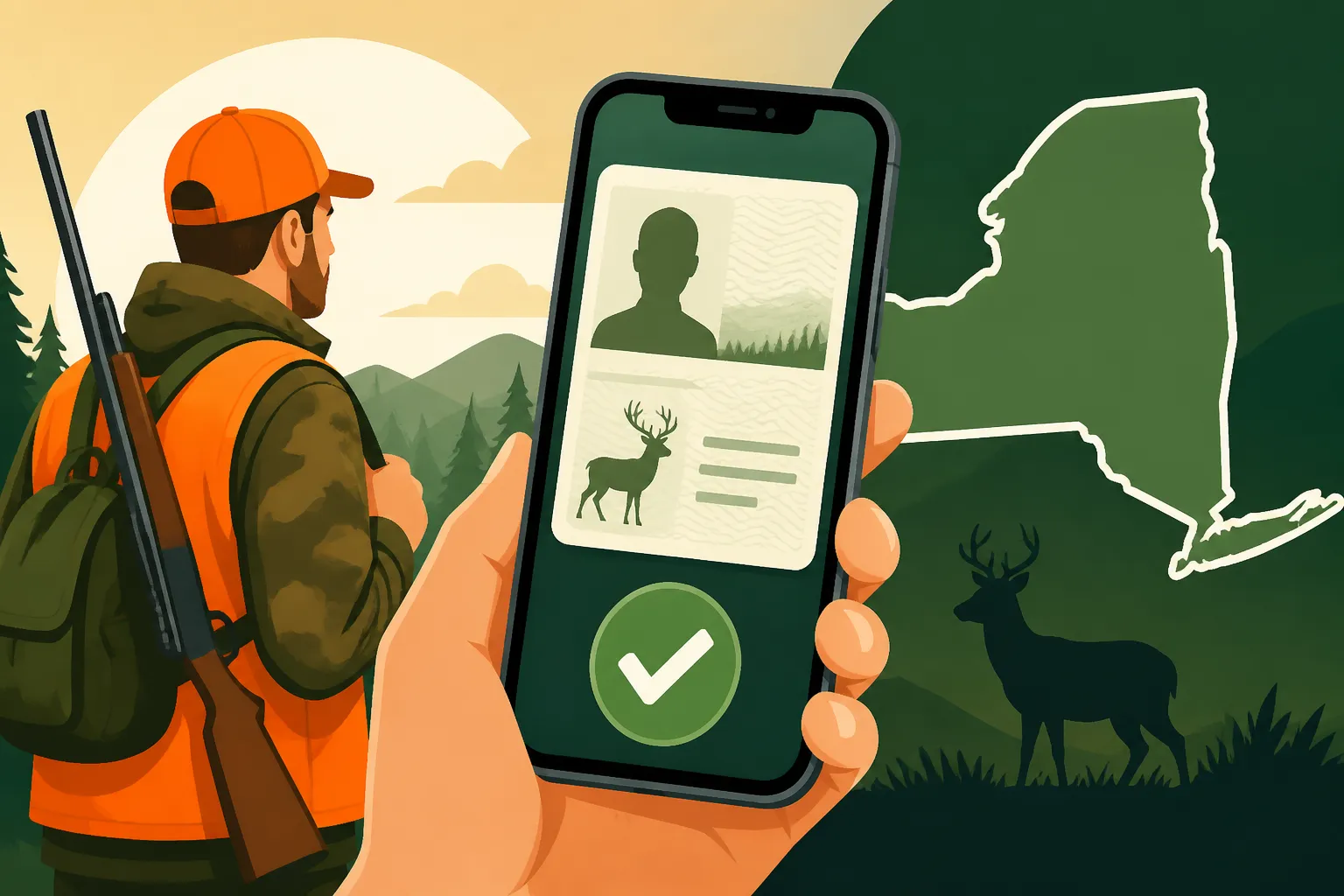
In New York, your hunting license and associated privileges can be displayed on your smartphone through the official HuntFishNY mobile app. This isn't just a scanned image you keep in your photo gallery; it’s an official digital representation generated and verified by the DEC’s licensing system. When an environmental conservation officer (ECO) asks to see your license, presenting it through the HuntFishNY app is perfectly legal and accepted.
This digital proof includes not only your general hunting license but also any associated privileges like bowhunting, muzzleloading, and even deer management permits (DMPs) that you’ve acquired. It shows your name, address, DEC customer ID, and the validity dates of all your licenses and tags. The beauty of this system is that it consolidates all your necessary documents into one easily accessible place, providing peace of mind whether you're chasing whitetails in the Southern Tier or stalking a gobbler in the spring woods. The ability to verify your licenses instantly, even in remote areas without cell service, is a game-changer.
Accessing and Displaying Your License Using the HuntFishNY App
The core of New York's digital licensing system revolves around the HuntFishNY mobile application. This app is designed to be user-friendly and robust, giving you quick access to all your hunting, fishing, and trapping documents right from your phone. Making sure you have it set up correctly before heading afield is crucial for a smooth experience.
Downloading and Setting Up Your Profile
Getting started with the HuntFishNY app is straightforward. First, you'll need to download it from your smartphone's app store (available for both iOS and Android devices). Once installed, open the app and you’ll be prompted to create an account or link an existing one. This typically involves entering your DEC Customer ID and date of birth, which allows the app to pull up all your current and historical licenses and permits. It's a quick process, but make sure you have your DEC ID handy, which can be found on any previous license or by logging into your online DEC licensing account. Think of it as your digital wallet for all things New York outdoors, a crucial step to ensuring you're properly equipped, just like making sure you understand your New York Hunting Licenses and What They Cost each season.
Navigating Your Digital Documents
Once logged in, the app’s interface makes it easy to find what you need. There's usually a dedicated section for "Licenses & Permits" where you can view all your active documents. Tapping on a specific license will display its details, including the expiration date and any associated privileges. It’s not just a static image; it often includes scannable codes that an ECO might use for verification. This digital display serves as your official proof, replacing the need for the physical card or paper. This digital convenience also extends to reporting your harvest; the app often allows direct submission, streamlining New York Deer Reporting Requirements.
Ensuring Offline Access and Overall Preparedness
One of the most critical features of the HuntFishNY app, especially for hunters who venture into remote areas of New York like the Adirondacks or the more secluded parts of the Catskills, is its offline capability. You must download your licenses to your device before you lose cell service. The app is designed to store your documents locally once you’ve viewed them, so even if you're miles from the nearest signal tower, you can still pull up your valid license. It’s a good practice to open the app and view all your licenses and tags the night before a hunt, just to ensure they are cached on your phone.
Just like you ensure your map and compass (or your favorite mapping app like GoHunt) are ready for the field, your digital hunting license should be part of that pre-hunt checklist. While the HuntFishNY app itself provides mapping, many hunters rely on dedicated platforms such as GoHunt for detailed topo maps, public land overlays, and historical harvest data to plan their hunts. Having both types of apps downloaded and ready ensures you're fully prepared for navigation and legal compliance.
Here’s a quick comparison of the pros and cons of physical versus digital licenses:
| Feature | Physical License & Tags | Digital License (HuntFishNY App) |
|---|---|---|
| Convenience | Can be cumbersome, easily lost | Always with your phone, lightweight |
| Durability | Prone to tearing, water damage | Protected by phone, no physical wear |
| Accessibility | Requires wallet/pocket retrieval | Quick access on phone screen |
| Proof of Identity | Often requires separate ID | Linked to your DEC ID |
| Offline Capability | Always works | Requires prior download, battery |
| Reporting Harvests | Separate action online/phone | Can be done directly through app |
| Cost | License fees only | License fees, smartphone required |
| Risk of Loss | High if dropped | Phone loss means license loss too |
Practical Considerations and Best Practices for Digital Proof
While incredibly convenient, relying solely on your phone for proof of license comes with its own set of practical considerations. Being aware of these and having backup plans in place is part of being a responsible and prepared New York hunter. This foresight helps avoid frustrating situations and potential legal issues.
Battery Life and Device Protection
This is perhaps the biggest elephant in the room when it comes to digital documents: what happens if your phone battery dies? Most modern smartphones have decent battery life, but a cold day in the woods, constant checking of mapping apps, or extensive photography can drain a battery surprisingly fast. Always carry a portable power bank or a spare fully charged battery pack, especially on longer hunts or in frigid temperatures.
Furthermore, hunting environments are often harsh on electronics. Rain, snow, mud, and accidental drops are common occurrences. Invest in a rugged, waterproof phone case to protect your device. Losing your phone or having it become inoperable means you also lose your immediate access to your license, which could put you in a bind if you encounter an ECO. Thinking about these details is just as important as knowing your New York Blaze Orange Requirements for safety.
Backup Plans and Alternatives
Even with a power bank and a tough case, things can go wrong. Maybe your phone takes an unexpected swim, or perhaps the app decides to glitch out at the worst possible moment. It’s always a good idea to have a backup plan. Some hunters choose to print a physical copy of their license and tags and keep it in a Ziploc bag in their pack as a "just in case" measure. This isn’t strictly required if you’re using the digital system, but it provides an extra layer of security.
Alternatively, you could have a hunting buddy who also has your DEC ID and can pull up your license on their device, though this is less ideal for individual verification. The best approach is to ensure you’re always able to produce your own proof. Knowing how to troubleshoot common app issues or having a physical backup can save a lot of headaches, especially when you're far from civilization.
Interacting with Law Enforcement
When an Environmental Conservation Officer (ECO) asks to see your license, simply open the HuntFishNY app and navigate to your "Licenses & Permits" section. Present your phone clearly for them to view. They may ask to see your driver's license or another form of ID to verify your identity, so have that readily available as well.
The key is to be polite, cooperative, and efficient. Don’t hand over your phone unlocked or let them scroll through your personal data; simply display the required license screen. They are accustomed to seeing digital licenses now, so the process should be smooth. Imagine you're deep in the Catskills, navigating with GoHunt, and a DEC officer stops you. Being able to pull up your license instantly, even without cell service, is seamless and speaks volumes about your preparedness.
Common Misconceptions and Troubleshooting Digital Licenses
While the digital system offers tremendous advantages, some aspects can still be confusing, especially regarding physical tags and what to do when technology inevitably fails. Clarifying these points will help you navigate the system effectively. Just like understanding how to Buying a License Through New York's DEC System online, knowing the nuances of the digital app is key.
Understanding Digital vs. Physical Tagging
It’s important to distinguish between carrying your license digitally and carrying physical tags. For species like deer, bear, and turkey, New York still generally requires you to physically tag the animal immediately after harvest with a tag that was provided when you purchased your license. While the HuntFishNY app allows you to report your harvest digitally, this does not replace the physical tagging requirement. You'll typically receive physical tags in the mail or print them yourself after purchasing your license online or in person.
So, while you can show your right to hunt on your phone, you still need to carry the appropriate physical tags for the species you intend to harvest. For example, if you have a muzzleloader privilege, which might incur an additional New York Muzzleloader Privilege Cost, your license will show that privilege digitally, but you’ll still need a physical deer tag for your muzzleloader buck. Always double-check the specific regulations for the species and season you are hunting to ensure you understand both the digital and physical requirements.
What to Do If the App Glitches or You Lose Your Phone
Technology is great until it isn't. If the HuntFishNY app isn't working, or if you've unexpectedly lost your phone while out in the field, your options become more limited. If you’re still within cell service, you could try uninstalling and reinstalling the app, or contacting the DEC's licensing support hotline. If you have a physical backup copy of your license, this is where it truly shines, allowing you to continue your hunt legally.
Without a working phone or a physical backup, you would technically be hunting without proof of license. In such a situation, it's best to cease hunting activities immediately and figure out a solution. This could mean heading to the nearest town with cell service or Wi-Fi to troubleshoot, or even driving home to retrieve a printed copy. While these scenarios are rare, being mentally prepared for them is part of being a truly responsible hunter. Remember, a well-prepared hunter in New York today uses a suite of tools, from their trusty rifle to a powerful mapping application like GoHunt, and now, the essential HuntFishNY app for their digital license and tags. This comprehensive approach covers everything from Scouting With the New York HuntFishNY App to being able to present your credentials to an ECO.
Disclaimer
The information provided in this guide is for general informational purposes only and is not a substitute for the official regulations published by the New York State Department of Environmental Conservation (DEC). Hunting regulations can change annually. Always consult the most current New York State hunting, trapping, and fishing regulations guide or the official DEC website before heading afield.